SentinelOne vs Microsoft Defender | Which is Best for your Small Business?
Why is an EDR Important and Why Does It Matter for Your Business
Suppose you’re shopping for an EDR(Endpoint Response and Detection) tool that fits your business. It’s not an easy yes-or-no answer. You will need to consider each one’s configurations, automation capabilities, features, pricing, and accessibility. As a cybersecurity company, these debates are our bread and butter. After 30 years implementing these solutions for businesses in Miami, Tampa, and Orlando, we’ve developed a clear eye for what is best for your business.
A prime example of this debate is SentinelOne vs. Microsoft Defender. Both have carved out a place in the cybersecurity market and are top choices for handling large-scale malware, ransomware, and phishing attacks. But they prioritize and integrate differently into your technology ecosystem. Below is an overview of both systems and how they fit your org to address escalating threats.
What is Microsoft Defender Overview
Key Features
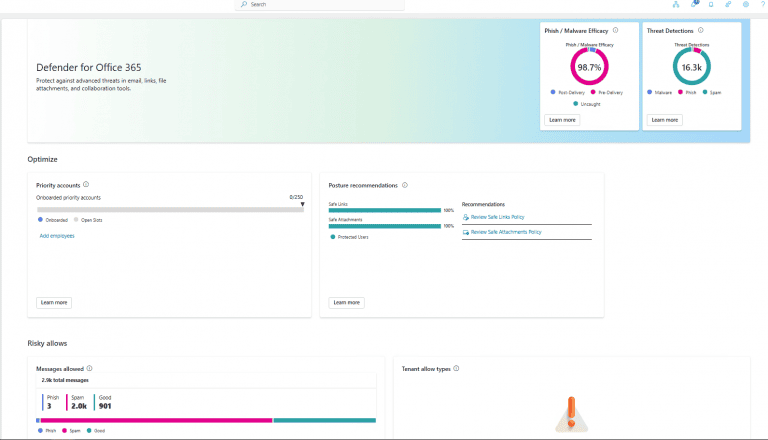
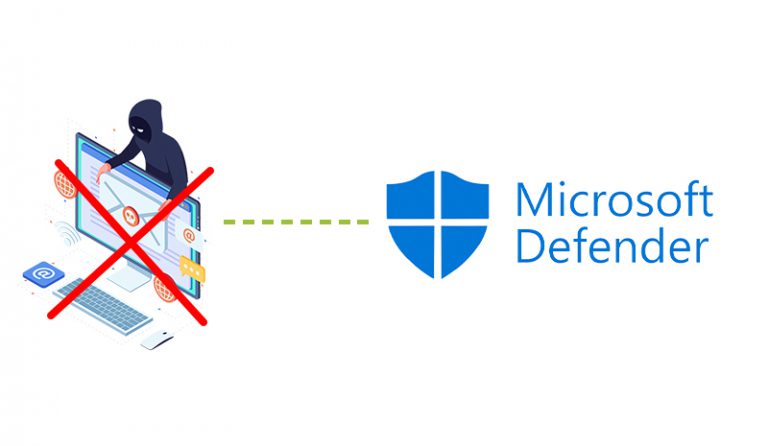
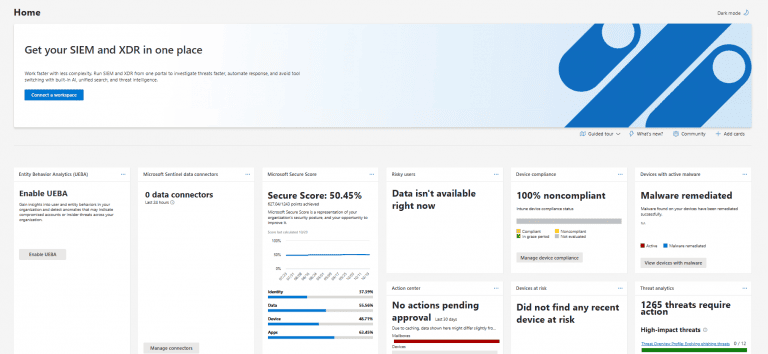
Defender is Microsoft’s in-house solution within the 365 ecosystem. Namely, its integration is what makes it attractive for SMBs already using Microsoft services across 365 and Azure. It also boasts Advanced Threat Protection, which is active at all times to watch out for incoming threats and vulnerabilities across email, identity, cloud apps, and other endpoints. It includes automation to handle security tasks, so that IT can focus on other risks.
Who Is It Best For
If your business IT setup runs on Windows and Azure, Microsoft Defender is a no-brainer. Its biggest strength is its seamless integration. But you should keep a few concerns in mind. Because it’s included with your 365 setup, it won’t come equipped with as many automated detection capabilities as SentinelOne’s Single Agent approach.
Another concern is its scalability and flexibility; as your org grows, it will naturally have more systems and more entry points for exploitation. If you don’t scale your IT accordingly, Defender may prove insufficient. So it is best suited for small and medium-sized businesses.
What is SentinelOne Overview
Key Features
SentinelOne is a powerhouse in the EDR space. Its AI-automated responses are second to none. It analyzes attack chains and incidents as they emerge in various forms: executables, memory-only malware, document exploits, phishing emails, and browser exploits. It is also equipped to handle Cloud and Offline environments independently. It is even capable of restoring a system that has been compromised by ransomware, rolling it back to a pre-infected state.
Who Is It Best For
If your organization is growing but your IT team isn’t equipped to handle the scale of new endpoints, then SentinelOne’s agent, forensics, and automation will be best equipped to take the load off your IT team. However, it is more resource-intensive and complicated to implement for a small IT team. In turn, it offers limited manual control. But we’ve also found it flexible for multi-vendor and varied work environments, including hybrid, remote, and in-person setups.
Pricing Comparison
If you’re a Microsoft-enabled business, Defender is the natural choice, as it is included with your 365 subscription. It’s also available as a separate product for companies that use other operating systems. Of the two, Defender is the cheapest, so it is budget-friendly for small and medium-sized businesses. But keep in mind that Microsoft also offers an enterprise version alongside its standard option. Here at BCA, we always recommend Microsoft Defender for Business for companies with up to 300 users.
As we’ve described, SentinelOne comes with more robust and more advanced features, so it is worthy of commanding a higher price. Since it isn’t included in your Microsoft 365 ecosystem, you’ll need to set aside part of your budget for it if the added automation, detection, and recovery features interest you.
Ease of Use
While there are dependencies on the type of system your business has set up, your ease of use, as we’ve discussed before, can come from whether your company operates with a full 365 setup or another configuration. If so, Defender is still the natural choice; you will be surprised by its seamless connectivity and easy-to-manage learning curve. But if you don’t have a Microsoft 365 environment, you’ll face more hurdles, and it offers less advanced detection capabilities.
SentinelOne also benefits from ease of use, mainly because of it’s automated capabilities, agent deployment, and centralized console management. For many orgs with limited IT experience, it can fill those gaps. And while we’ve said that if you operate in a Windows environment, you should consider Defender. SentinelOne also works with Windows alongside other Operating Systems. But keep in mind it’s resource-intensive, and its agent deployment has a steeper learning curve than Defender.
Microsoft Defender vs SentinelOne: Features Comparison
| Variables | SentinelOne | Microsoft Defender |
|---|---|---|
| Deployment | Its single-agent deployment helps keep your environment secure. | Minimal complexity and intuitive integration with Microsoft products help protect endpoints. |
| Threat Detection | Advanced automated forensics help identify the source of potential intrusions. | Integrates with Windows endpoint protection for robust threat detection. |
| Response & Remediation | Offers automated remediation and rollback capabilities to help restore affected systems. | Provides incident investigation and automated remediation capabilities, with recovery options depending on the configuration. |
| Integration | Its accessible interface and integration options support configuration and management across diverse environments. | Integrates seamlessly within the Microsoft ecosystem. |
| Pricing | Requires separate licensing, with costs depending on the selected plan and number of endpoints. | Available through eligible Microsoft 365 subscriptions or separate licensing, depending on the plan. |
| Ease of Use | Advanced features may require specialized IT knowledge, although centralized management simplifies administration. | Works particularly well in Windows environments, with familiar management tools and support for other platforms. |
| SMB Fit | Automation can reduce the workload for businesses with limited internal IT staff. | A strong option for businesses already using Microsoft 365. |
| Enterprise Fit | Automated protection can help secure growing numbers of endpoints across complex environments. | Integrates with Microsoft and Azure security services to support large-scale environments. |
| Support | Supported through regular updates, maintenance, and support options based on the service plan. | Offers regular security updates and multiple support options, with availability depending on the subscription. |
Conclusion: Which One Is Right for Your Business?
Choose Microsoft Defender If…
If you already run a Microsoft 365-enabled environment or your business runs Windows Operating Systems. You will need to be comfortable with more IT management to oversee Defender. It is the natural choice at both the SMB and Enterprise size tiers. The price isn’t an issue, as it is included with your subscription.
Based on our expertise and experience, we believe Microsoft Defender offers: 1. Native Integration with Entra ID, Intune, Microsoft 365, and Windows. We believe it works well alongside Huntress EDR(Endpoint Detection and Response), and it’s effective even in alternate environments.

Choose SentinelOne If…
You run an environment other than Microsoft 365 or Windows. Or you need automation for threat detection and recovery because your IT department is probably busy. But you still need the institutional knowledge for automation, agent deployment, and console management. Also keep in mind the GPU requirements it incurs on your systems.
FAQ
What is Microsoft Defender
You can think of Microsoft Defender as the perfect complement to your 365 environment. It has the standard features of an EDR system. It works to secure your enterprise across Azure, Intune, and Office.
Is Microsoft Defender better than SentinelOne?
Like, what is the answer to which type of Wi-Fi security is better? It depends. SentinelOne packs more features, automation, and remediation. But it requires more expertise to operate and won’t install as smoothly. We still believe Defender’s integration with and compatibility with Huntress makes it the preferred recommendation for you.
Which is better suited for a remote work environment?
Both options are highly versatile for your setup. But SentinelOne scales well across multi-vendor, hybrid, and cloud environments thanks to its automation features. Microsoft Defender’s integration with Azure helps it work across diverse environments.
Is the added cost of Microsoft Defender worth it if you don’t run a Microsoft 365 environment?
As a managed IT services provider, we analyze your organization’s needs, vulnerabilities, and strengths on a case-by-case basis. Here at BCA, we recommend Microsoft if you run a Windows environment. Otherwise, we recommend SentinelOne.
What is an EDR?
Endpoint Detection and Response safeguards and monitors all endpoints in your network, including computers and mobile devices. When something does get through, maybe via a ransomware email, it can diagnose issues and sometimes recover automatically, as SentinelOne can. It can stop further damage to your org.